 MAP-ALERTS
Questions and answers
How to read the air threat map, how target types differ, and how to get alerts about Shaheds, missiles and guided bombs in Telegram.
Using the map
What is MAP-ALERTS and how is it different from an air-alert map?
#
MAP-ALERTS shows not only where an alert is declared but the targets themselves: where a Shahed, missile or guided bomb is now, where it is heading and how fast. Data from several monitoring sources is merged into one picture without duplicates and updated every few seconds.
How to read the map: icons, lines, “×3”?
#
Each target type has its own silhouette and colour, turned along its heading. The line is the path flown, the dashed line is the forecast. “×3” means three targets flying together. Between updates, markers move by estimate. The Simple view shows only markers and direction, Detailed adds routes (layers button or “Options”).
What does ⚠️ “few confirmations” mean?
#
Only one source sees the target, or there is no alert in its area — it may be an error or a duplicate. The mark disappears as soon as a confirmation arrives.
How is “Near me” different from choosing an oblast?
#
“Near me” is a circle around your point (50 km by default): you see the distance to each target and whether it is heading your way. Oblast shows all targets over the oblast, not tied to a point.
How do I get alerts in Telegram?
#
Open the bot @mapalertsua_bot, tap “Start” and choose an oblast — alerts switch on right away. You can also set a city or a point on the map — then only targets within a radius (from 15 km). The bot reports a new target in your zone, a target heading your way, air alerts and all-clears.
How do I install MAP-ALERTS as an app on my phone?
#
Open map-alerts.live in a browser (not inside Telegram: ⋮ → “Open in browser”).
Android: “Install” on the bar at the bottom, or ⋮ → “Install app”.
iPhone (Safari): “Share” ⬆ → “Add to Home Screen”. This is the only way an iPhone gets notifications from the site (iOS 16.4+).
The app also opens offline: help, emergency numbers, saved shelters and the area map, the latest target data (no older than 30 min).
Android: “Install” on the bar at the bottom, or ⋮ → “Install app”.
iPhone (Safari): “Share” ⬆ → “Add to Home Screen”. This is the only way an iPhone gets notifications from the site (iOS 16.4+).
The app also opens offline: help, emergency numbers, saved shelters and the area map, the latest target data (no older than 30 min).
Target types
Shahed attack drone (Shahed-136, Geran-2)
#
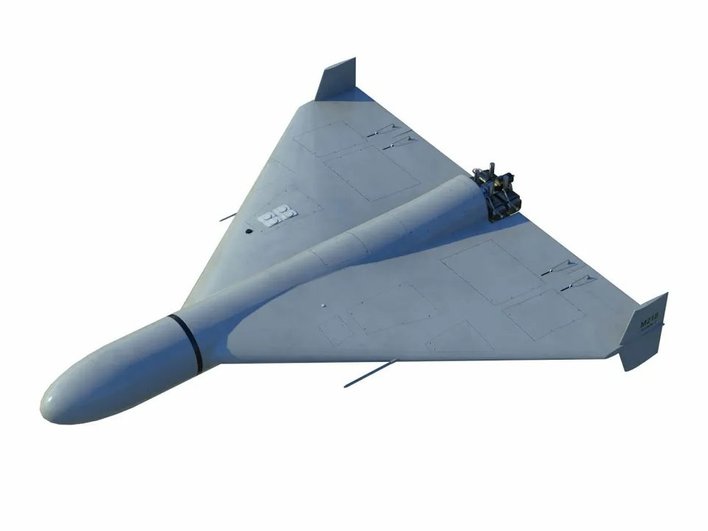
A kamikaze drone with a piston engine. It is relatively slow — about 150–250 km/h (upgraded Gerans are faster than the first versions) and has a distinctive moped-like buzz (hence the slang “moped”). It can change altitude, circle over a city and turn sharply, so its heading on the map is approximate. From its appearance in an oblast to the target usually takes tens of minutes — time to get to a shelter.
Decoy drone (Gerbera, Parodiya)
#
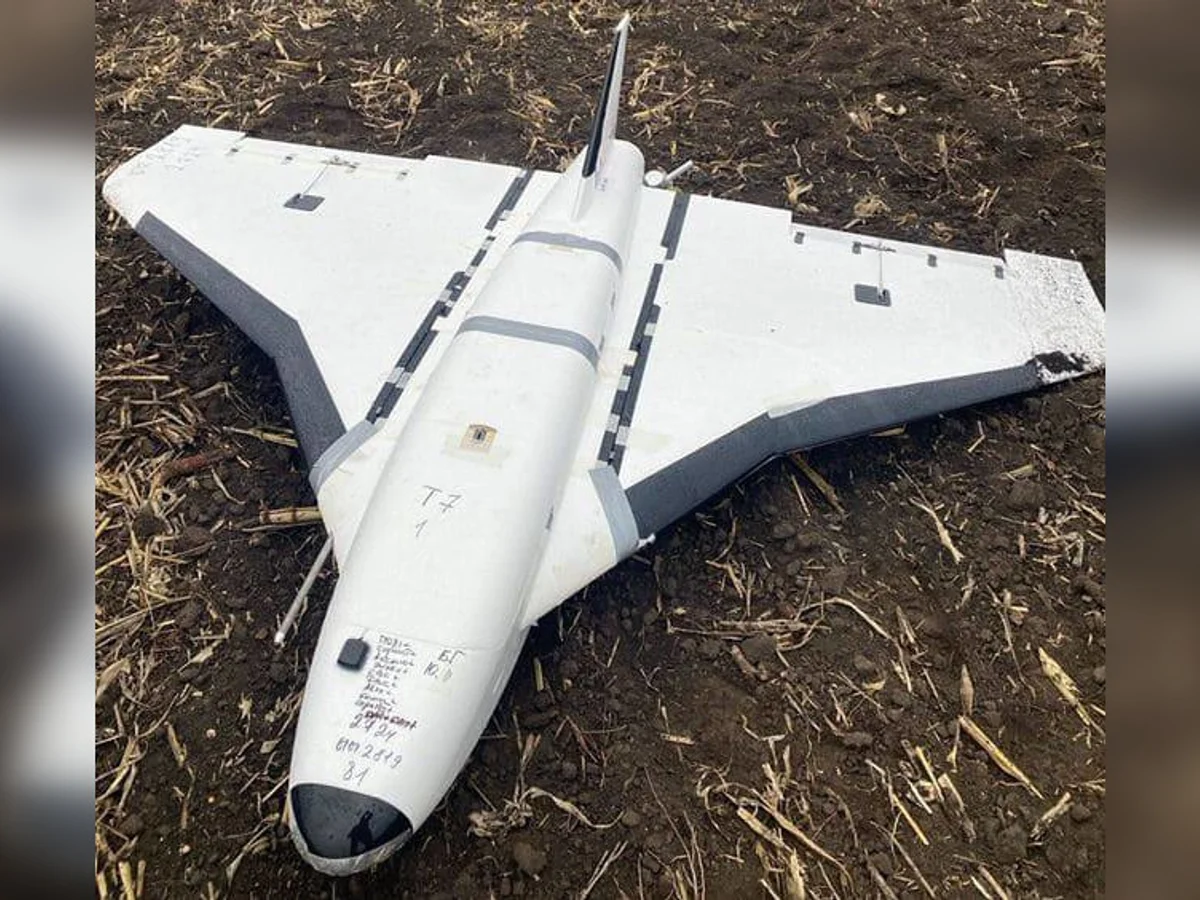
A cheap decoy that looks like a Shahed, with no warhead or a very small one. It is launched together with real Shaheds to overload air defence. They cannot always be told apart visually or on radar, so a decoy is shown in grey only when sources say so. Treat every such target as dangerous.
Jet Shahed (Shahed-238, Geran-3) — how is it different from a regular one?
#
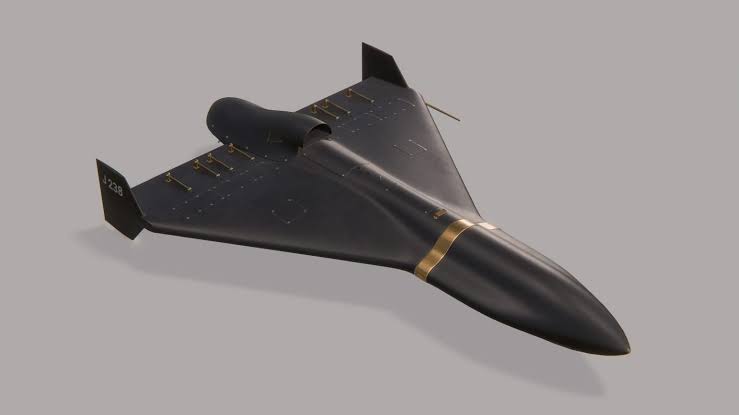
Same idea, but with a jet engine (Geran-3/4/5): most of the flight at 250–350 km/h, accelerating to 500–600 km/h on approach and before impact. There are more and more of them. No moped sound — it roars like a plane. What matters for you: much less time between appearance and arrival, so treat jet-target alerts as urgent.
What is Banderol?
#
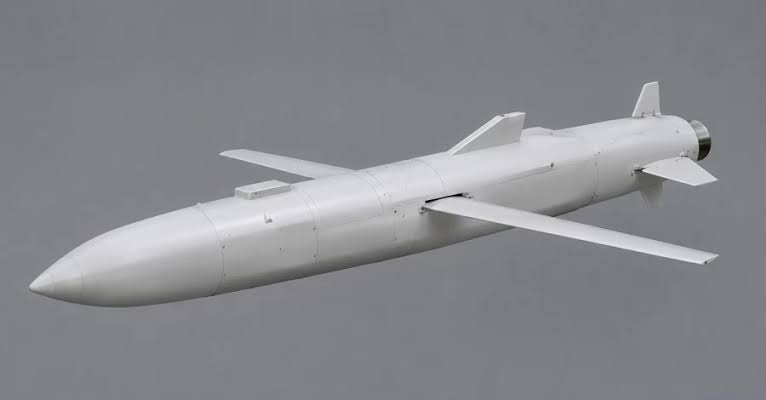
The S8000 Banderol is a small cruise missile — a jet-powered strike weapon faster than a Shahed. On the map it is shown as a jet target, with “Banderol” in the description when the source specifies it.
FPV drone
#
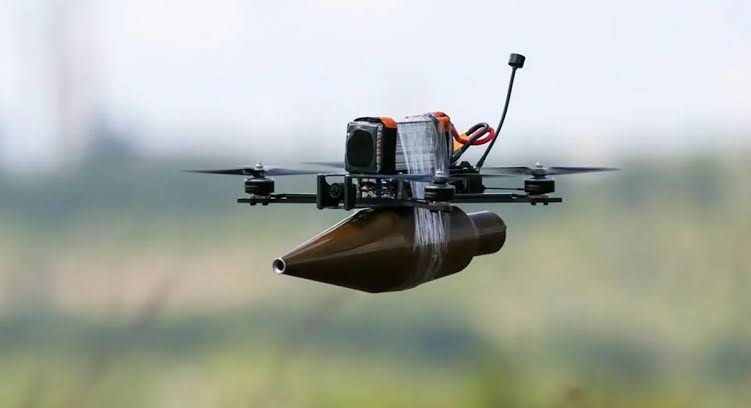
A small drone flown by an operator through a camera. It operates in the frontline zone — up to a few tens of kilometres from the front (Nikopol area, Kherson, Sumy and Kharkiv oblasts). It attacks people, cars and vehicles.
Reconnaissance drone
#
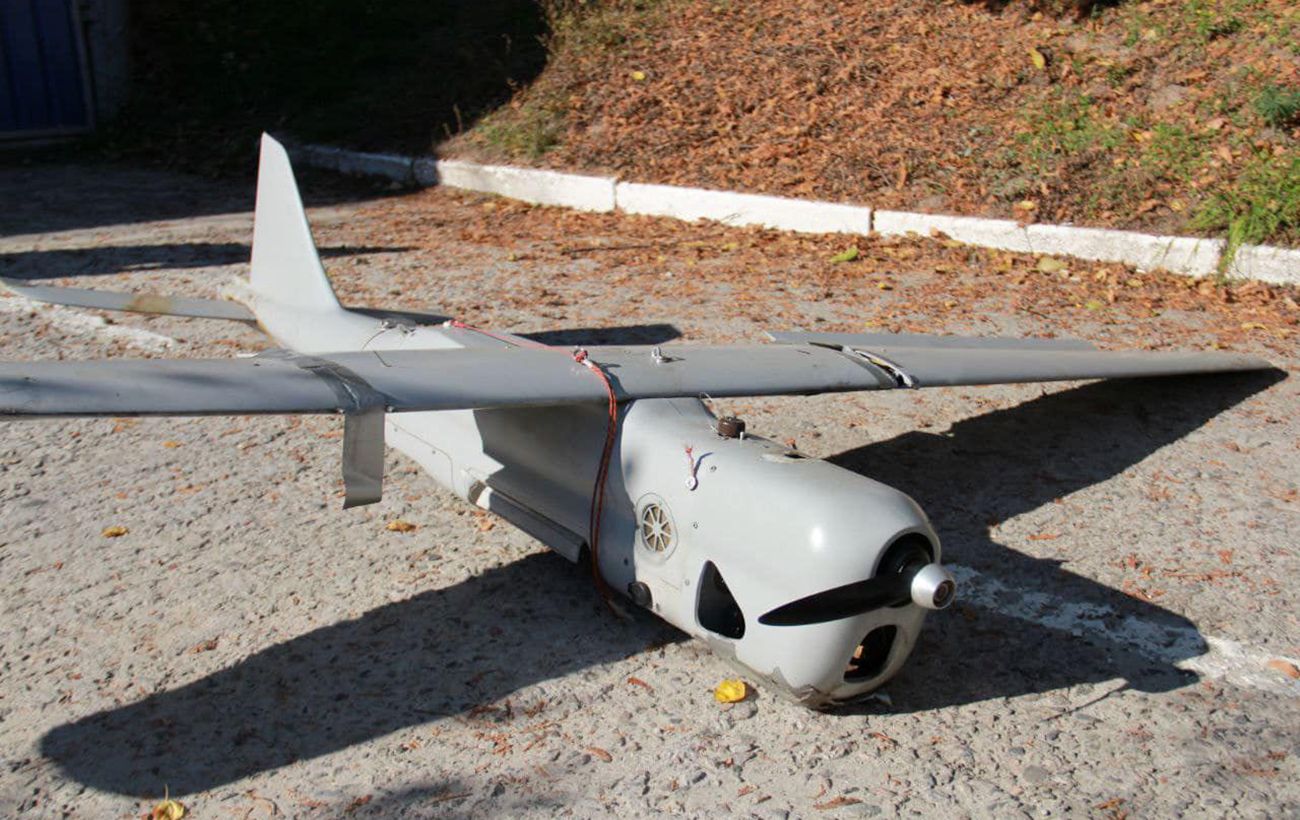
A scout drone (e.g. Orlan, Supercam, Zala): it circles over an area, looks for targets and adjusts strikes. It usually does not attack itself, but its appearance often means a strike on that area may follow soon.
KAB (guided bomb)
#
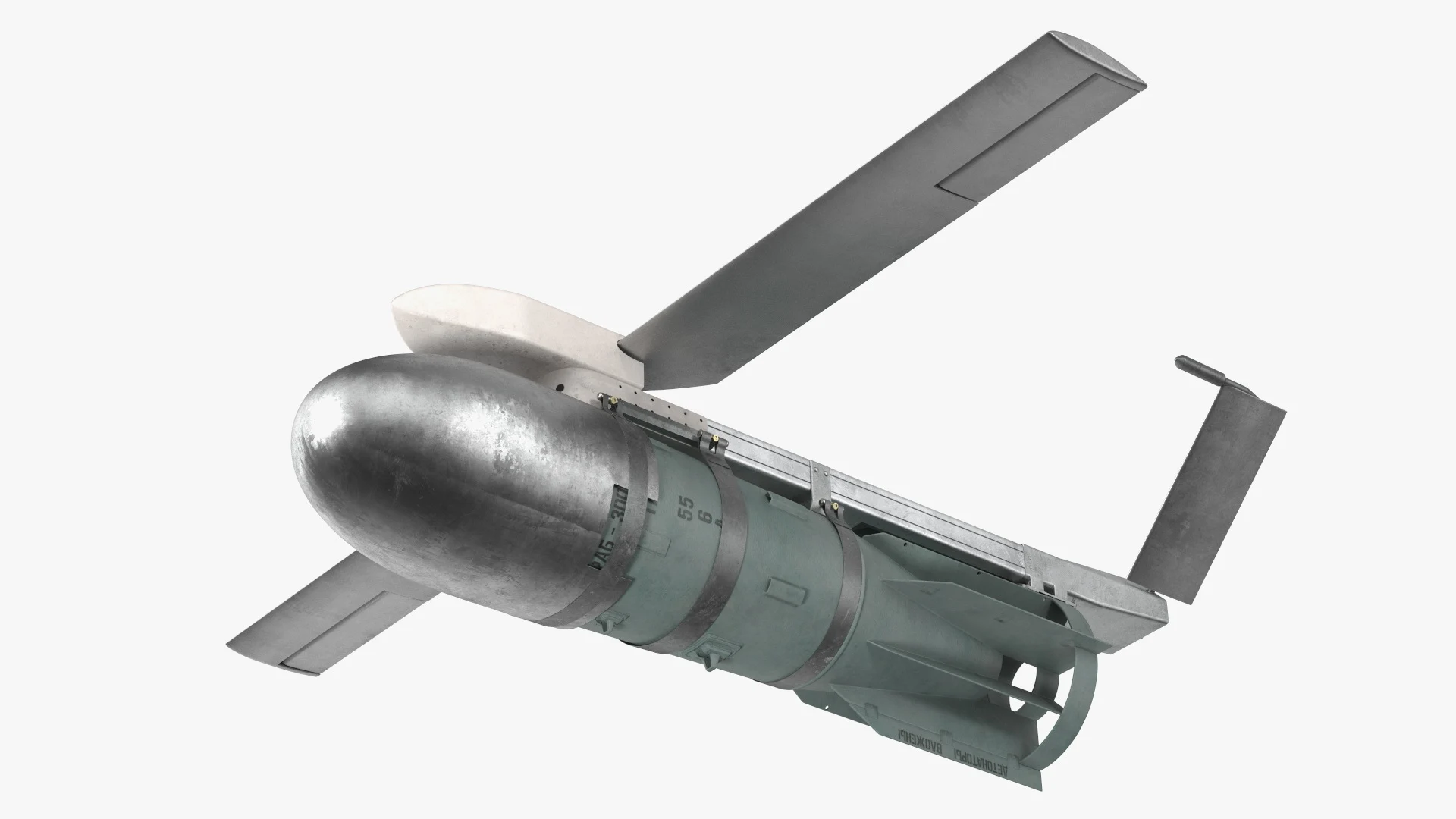
A heavy bomb with wings and guidance, dropped by an aircraft up to 40–70 km from the target without entering air-defence range. From release to impact is only minutes, so guided bombs threaten mainly frontline oblasts and cities. If you hear “guided bomb threat”, you have very little time: go to a shelter at once.
Cruise missile (Kalibr, Kh-101, Kh-59/69)
#
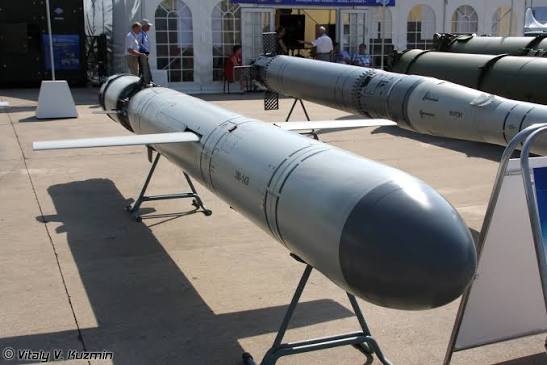
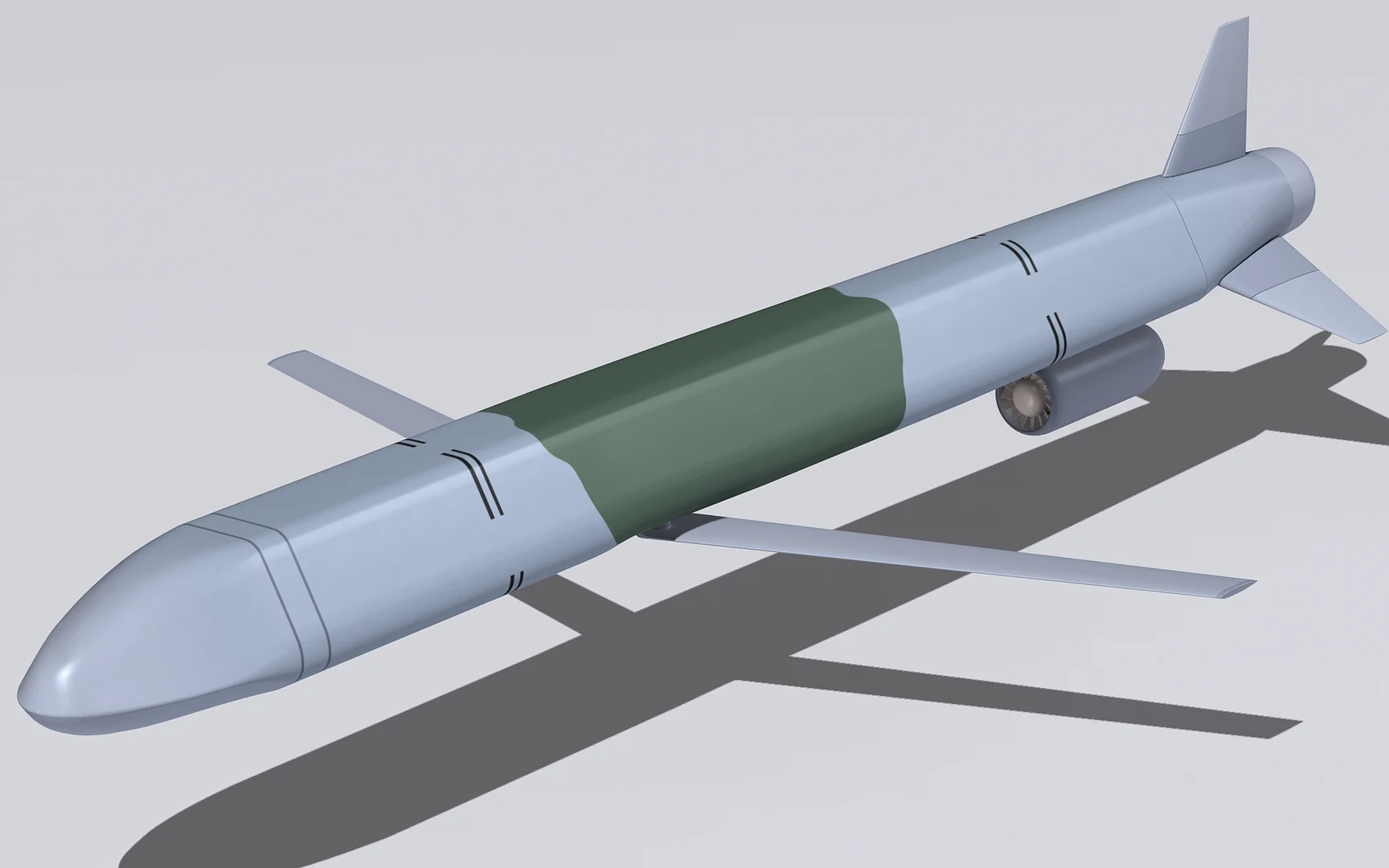
Flies low, following the terrain, at about 700–900 km/h and often changes course to avoid air defence. From launch to target can take from tens of minutes to several hours, so watch its route on the map: a turn towards you is a reason to act.
Ballistic missile (Iskander-M, KN-23, Kinzhal)
#
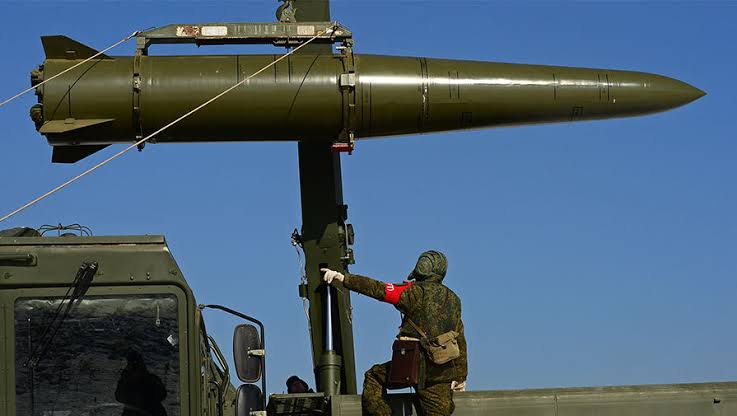
The fastest threat: from launch to target is a few minutes or less. No public source shows the real trajectory in real time, so the map shows only the threat direction. If you see a ballistic threat in your direction, do not wait for details — go to a shelter at once.
✈MiG-31K, Tu-95, Su-34 take-off — what does it mean?
#
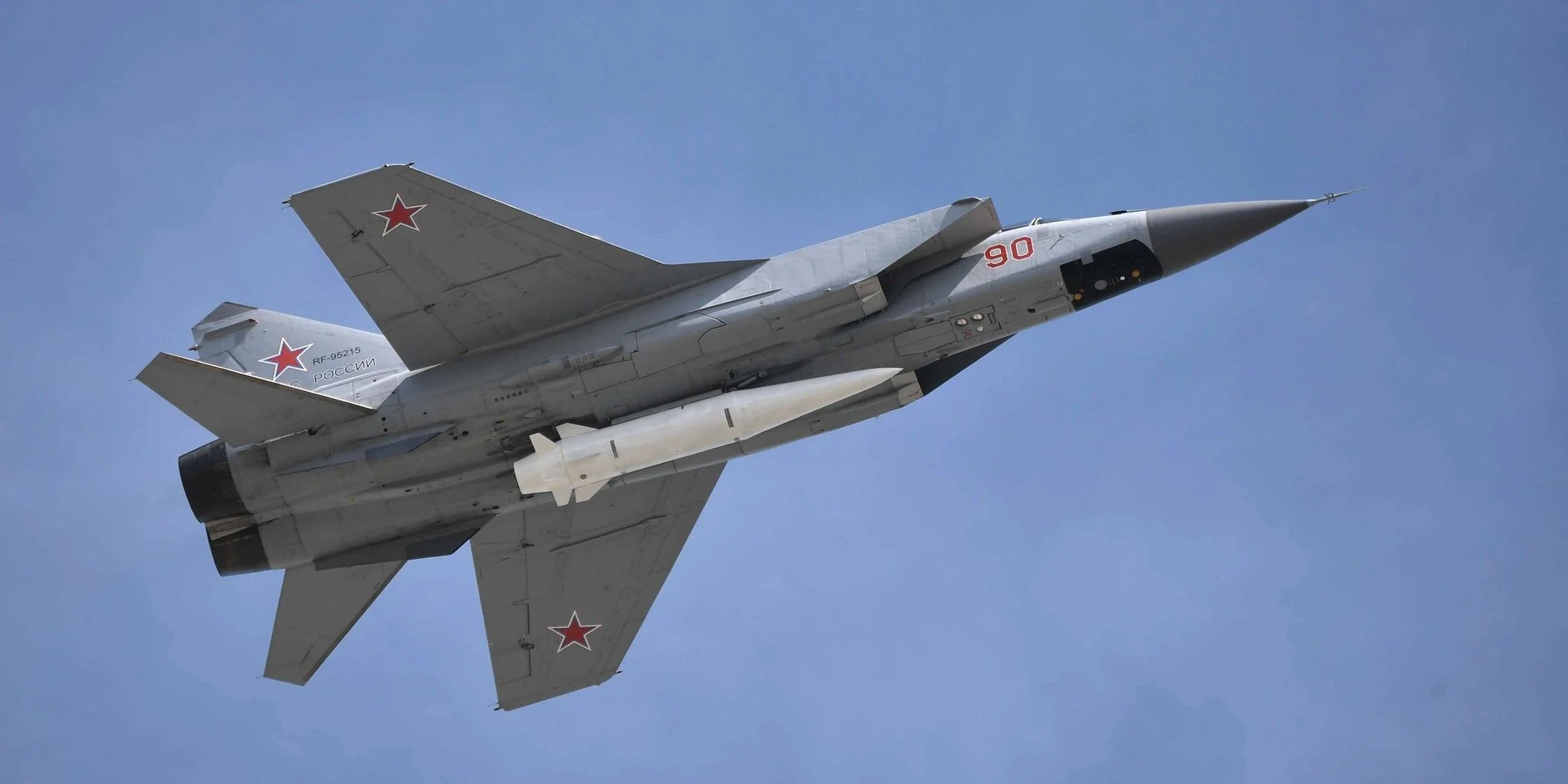
This is not a target over your city but a warning: aircraft carrying missiles (Kinzhals, cruise missiles) or guided bombs have taken off. Launches are possible at any minute, so be ready and watch the map and the official alert.
Data
Where does the data come from?
#
From several open monitoring sources that track the air situation. MAP-ALERTS merges them into one map: if different sources report the same target, it is shown once. This is not an official source of the Defence Forces, but a tool to help you get your bearings faster.
How accurate is a target’s position?
#
Approximate: the error is usually a few kilometres, and more for targets known only as “towards a city”. The position may “jump” as new data arrives. Look at the direction and distance first, not at a specific street.
Why did a target disappear from the map?
#
Sources stopped tracking it: it left the observed area, dropped lower or vanished from radar. If there is no new data on a target for a long time, it is removed so the map does not show outdated information.
Why is there no information about shoot-downs and hits?
#
We deliberately do not publish whether a target was shot down or where it hit. Such real-time data helps the enemy adjust the next strikes. The target simply disappears from the map. Official attack summaries are published by the Ukrainian Air Force.
How quickly is the data updated?
#
Within seconds of a source’s report. The data time is in the header (“as of 11:35”); tap the status at the bottom of the map to see each source.
What is the fan (cone) in front of a selected target?
#
Where the target could reach if it keeps its course. The “N min” arcs show where it will be in that many minutes, the width shows how much the course may deviate. It is an estimate, not an exact route.
Where does “alerts here usually last 40–65 min” come from?
#
The typical alert duration in this area over 60 days (if there were at least 8 alerts). It is statistics, not an all-clear forecast.
Where can I see the night summary?
#
On the page map-alerts.live/en/pidsumok: how many targets and of what types, the attack peak, alert duration. Oblast statistics for 30 / 90 days are in the “Threat log” on the map.
What does “History” in a target card show?
#
When the target was first spotted, which oblasts it flew over, when it changed course and when another source confirmed it. For a vanished target — only the time it disappeared, not the place: we do not publish outcomes (shoot-downs, hits).
Notifications
Why did I get a notification but there is no alert (or vice versa)?
#
Alerts are declared by official services for whole raions and hromadas. The bot reports a target in your zone: it may appear before the alert or pass nearby without touching your raion. And vice versa: an alert may be declared for a threat before any specific target appears.
Why do some notifications come in one message or without sound?
#
To avoid spam during a massive attack. Urgent ones come at once and with sound: missiles and guided bombs in your zone, a target nearby or heading your way. The rest are grouped into one message every few minutes.
How do I get fewer notifications or turn them off?
#
In the bot: /settings — reduce the radius, remove target types you don’t need or turn off air-alert notifications. /stop turns everything off, /start turns it back on.
What are “quiet hours” in phone notifications?
#
Hours when notifications don’t wake you (23:00–07:00 by default). Only ballistic missiles and, optionally, a target closer than N km come with sound. Settings: “Alerts” → “Phone notifications” → “Quiet hours”.
Safety
Can I rely on MAP-ALERTS alone?
#
No. It is an information service that helps you understand the situation but does not replace the official air alert. If you hear a siren or get an alert signal, go to a shelter even if the map shows nothing nearby.
What to do during an air alert?
#
Go to a shelter at once: a bomb shelter, basement, underground car park or underpass, metro. Don’t wait for explosions or watch whether it is “flying at you”.
Shelter too far or no time — the two-wall rule: a corridor, bathroom or windowless room, with at least two walls between you and the street. Stay away from windows, balconies, lifts and upper-floor stairwells.
Outdoors — look for the nearest shelter or underpass. If there is nothing, lie down in a hollow (ditch, kerb) and cover your head with your hands.
In a car — pull over, get out and move away from the car and petrol stations, look for shelter.
Stay in the shelter until the all-clear. Shelters near your point are on the “Nearby” page (for Kyiv and Dnipro it works offline).
Shelter too far or no time — the two-wall rule: a corridor, bathroom or windowless room, with at least two walls between you and the street. Stay away from windows, balconies, lifts and upper-floor stairwells.
Outdoors — look for the nearest shelter or underpass. If there is nothing, lie down in a hollow (ditch, kerb) and cover your head with your hands.
In a car — pull over, get out and move away from the car and petrol stations, look for shelter.
Stay in the shelter until the all-clear. Shelters near your point are on the “Nearby” page (for Kyiv and Dnipro it works offline).
What to keep with you (emergency bag)?
#
Documents (and copies or photos), cash and cards, water and food for 1–2 days, a first-aid kit and your medication, a power bank and charger, a torch, warm clothes or a blanket, a whistle, a battery radio. For children — a favourite toy and a note with parents’ contacts. Keep the bag by the door; charge your phone whenever there is power.
An explosion nearby or debris fell — what to do?
#
Stay in the shelter until the all-clear: a repeat attack is possible. Do not approach or touch debris — it may contain explosives or toxic fuel. Report it: 101 (State Emergency Service) or 102 (police), injuries — 103.
Do not post photos, videos or locations of hits or air-defence activity — it helps the enemy adjust the next strikes.
Smoke indoors — stay low, cover your nose and mouth with a damp cloth and get out, keeping a hand on the wall.
Do not post photos, videos or locations of hits or air-defence activity — it helps the enemy adjust the next strikes.
Smoke indoors — stay low, cover your nose and mouth with a damp cloth and get out, keeping a hand on the wall.
First aid: the essentials
#
First make sure you are not in danger yourself, and call 103 (or 112).
Heavy bleeding — press a cloth firmly on the wound and keep pressing. If bleeding from an arm or leg won’t stop — a tourniquet above the wound, note the time it was applied.
Unconscious but breathing — lay them on their side (recovery position) so they don’t choke.
Not breathing — CPR: hard compressions in the centre of the chest, 100–120 per minute, until medics arrive.
This does not replace a course — take free first-aid training (Red Cross, State Emergency Service).
Heavy bleeding — press a cloth firmly on the wound and keep pressing. If bleeding from an arm or leg won’t stop — a tourniquet above the wound, note the time it was applied.
Unconscious but breathing — lay them on their side (recovery position) so they don’t choke.
Not breathing — CPR: hard compressions in the centre of the chest, 100–120 per minute, until medics arrive.
This does not replace a course — take free first-aid training (Red Cross, State Emergency Service).
No power or connection — how to find out about danger?
#
Listen for sirens and loudspeakers, turn on a battery radio. The MAP-ALERTS app opens offline: safety tips, emergency numbers, saved shelters and the area map, the latest target data. Save it in advance: “Nearby” → “Save…” (≈6 MB) — together with routes to the nearest shelters.
Calls to 112, 101, 102, 103 are free.
Calls to 112, 101, 102, 103 are free.
About
What does the bot know about me?
#
Only your Telegram ID, name, chosen zone and settings. The bot does not collect your phone number, contacts or location history. /privacy — show your data, /delete — delete it.
Is it free?
#
Yes, the map and Telegram alerts are free and ad-free.
How do I report a bug or suggest an idea?
#
Write to the channel @mapalerts_live or the bot @mapalertsua_bot. For an inaccuracy, give the time and place.
Alerts about targets near you
Choose a point or an oblast in the bot — it will message you as soon as a target enters your zone or turns towards you.